Features Overview
A short tour of each section of the app. What you see depends on your role: a sidebar item for a feature that isn’t available for your account shows a lock, and its page says so with a Contact us link. Each section has its own page with details.
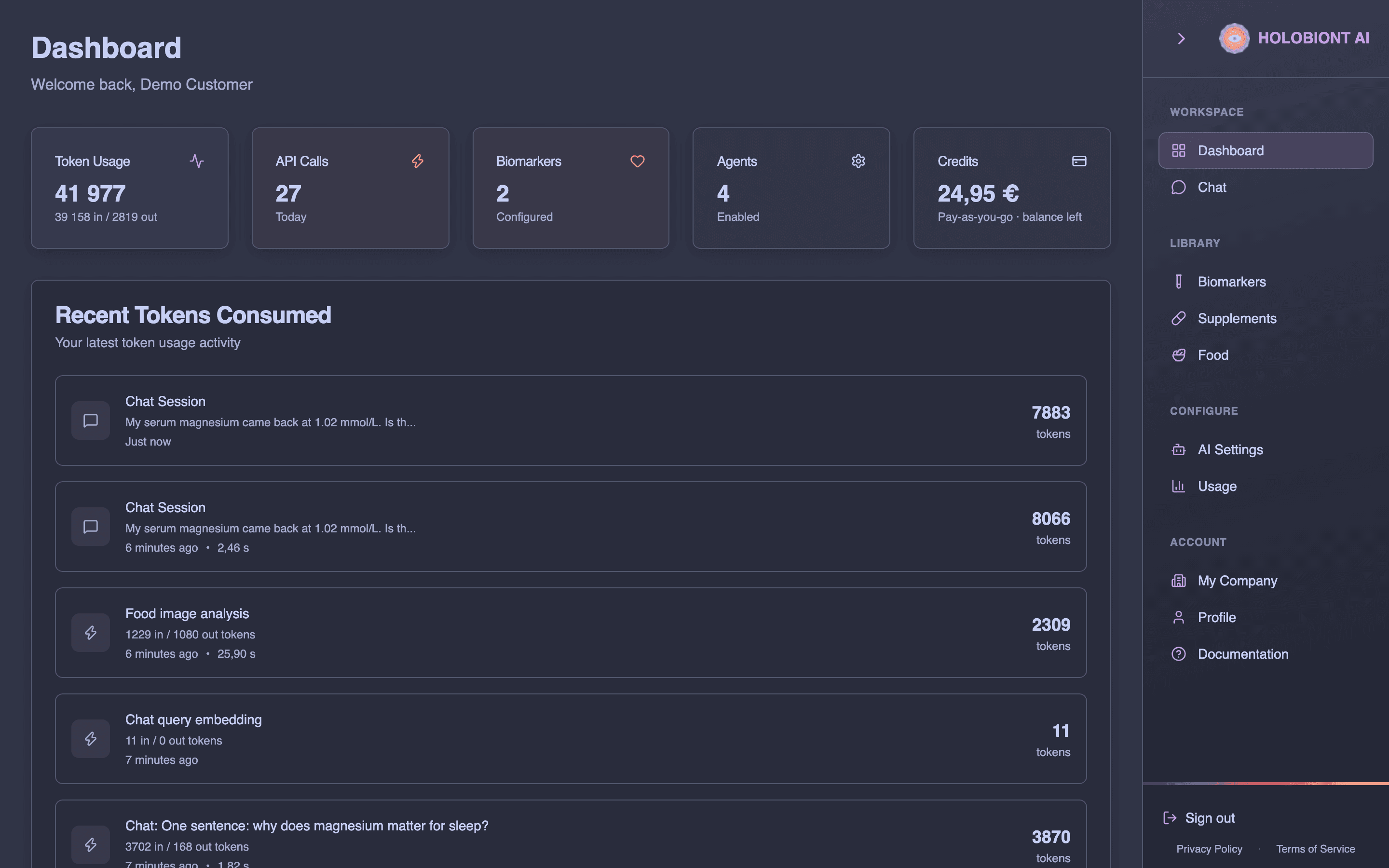
Dashboard
Cards for Token Usage, API Calls (today), Biomarkers, Agents and Credits, plus a Recent Tokens Consumed list of your latest chats and other AI operations. The Credits card shows your company’s remaining credits (Pay-as-you-go · balance left) and links to My Company → Credits. When the balance is 0 it shows Out of credits, and a banner at the top of the dashboard offers Buy credits.
Chat
Ask questions in plain language. The AI answers from the shared knowledge library and your company’s catalogs, and uses specialized agents (for example nutrition, supplement interactions or biomarker analysis) depending on your account and AI Settings.
- Attach images, PDFs, spreadsheets and documents with the paperclip
- Choose a reasoning level: more reasoning is slower and uses more credits
- Open References, Retrieved Chunks and Graph Context to see what an answer was based on
- Pick a suggested follow-up question to continue
- Find earlier conversations in the side list, or start a New chat
More in AI Chat.
Supplements
Your company’s supplement catalog.
- Add Supplement to fill in a product by hand, across tabs such as basic info, dosage, safety, formulation, pharmacology, evidence and associations. On the tabs that offer Scrape, AI fills the fields from a product web page.
- Import products from a Shopify or WooCommerce store: enter the store address, choose categories and products, and only supplements and foods are imported
- Upload CSV and Export CSV for bulk changes (Download Example CSV shows the format)
- Filter by brand and category
More in Supplements.
Biomarkers
Your company’s biomarker catalog.
- Add Biomarker with name, category, unit, reference ranges, country and laboratory
- Scrape Biomarker Information from a web page
- Generate AI Recommendation for default, optimal and high values
- Upload CSV and Export CSV
More in Biomarkers.
Food
Photograph or upload a meal (JPEG, PNG, WebP or HEIC, up to 10 MB). Food detects the items and estimates amounts and nutrients, flags assumptions and warnings, and can give a biomarker opinion on the meal from biomarker values you enter. Your analyzed meals appear under Recent meals.
More in Food.
AI Settings
How the AI behaves for your company: Agent Settings, Upload Settings, AI Model Settings, Memory Settings, Pre-Processing, Post-Processing, Identity (for example philosophical alignment and professional background), Linguistics (language, tone, reading level and formatting) and Deployment. Everyone can view the settings; only company leaders can save changes.
More in AI Settings.
Usage
Usage analytics for your company: Overview, Tokens Over Time, Tokens by Source and a Detailed Table, with search, filters and CSV export.
More in Usage Statistics.
My Company
- Company Details: name, address and VAT ID. An EU VAT ID is checked in the EU VIES register when you save. Leaders can also require 2FA for everyone in the company.
- Users (leaders only): add people, choose Member or Leader, edit and remove users
- Billing: billing contact details, and for leaders, payment methods and invoices through Manage Billing
- Credits: balance, spending and credit activity, starting with the 5,00 € welcome credit every new company gets. Leaders can buy credits and set up auto-recharge.
- API Keys (leaders only): keys for the API, each with the scopes it may use: Food, Chat, Supplements and Biomarkers. A key is shown in full once, when it’s created; after that only its last 4 characters are shown.
More in My Company and Pricing.
Document library
Every company has access to the shared document library: chat answers draw on its documents and datasets, with citations to the sources. Platform administrators upload and maintain the documents, and only they see the Documents page with the full list and details, and the knowledge Graph built from them.
More in Document Library.